HACK WESTERN
Designing an inviting application experience for 2,200 hackers
Timeline
May 2025 - Sep 2025
Role
Product designer
Team
3 product designers
4 developers
skills
Visual design
Responsive design
User testing
Overview
Hack Western is one of the biggest student-run hackathons in Canada, with 400+ participants and 2,000+ applicants each year.
As a Design Organizer, I led the design of our Hack Western XII application portal, with the goal of making applying feel welcoming and fun.

OUTCOMES
2,200
accounts created
1,400
applications submitted
7
countries reached
The Challenge
Our goal was to make Hack Western XII feel like a safe, welcoming place for anyone new to tech.
To bring this vision to life, our team set out to design an application experience that embodied these values: one that felt approachable, fun, and genuinely welcoming.
Hack Western XII Goals
1
Create a unique, innovative, and memorable experience for all hackers.
2
Appeal to a diverse audience by making the event beginner-friendly and reducing the intimidation often associated with hackathons.
Creating the Theme
We started by creating a theme for Hack Western XII that would carry through every part of the hackathon.
My teammate led a short open-ended questionnaire asking participants to share how each theme concept made them feel. Most described the clean, pastel, scrapbook-inspired direction as the most welcoming and interesting.
Theme Ideation and Sentiment Analysis
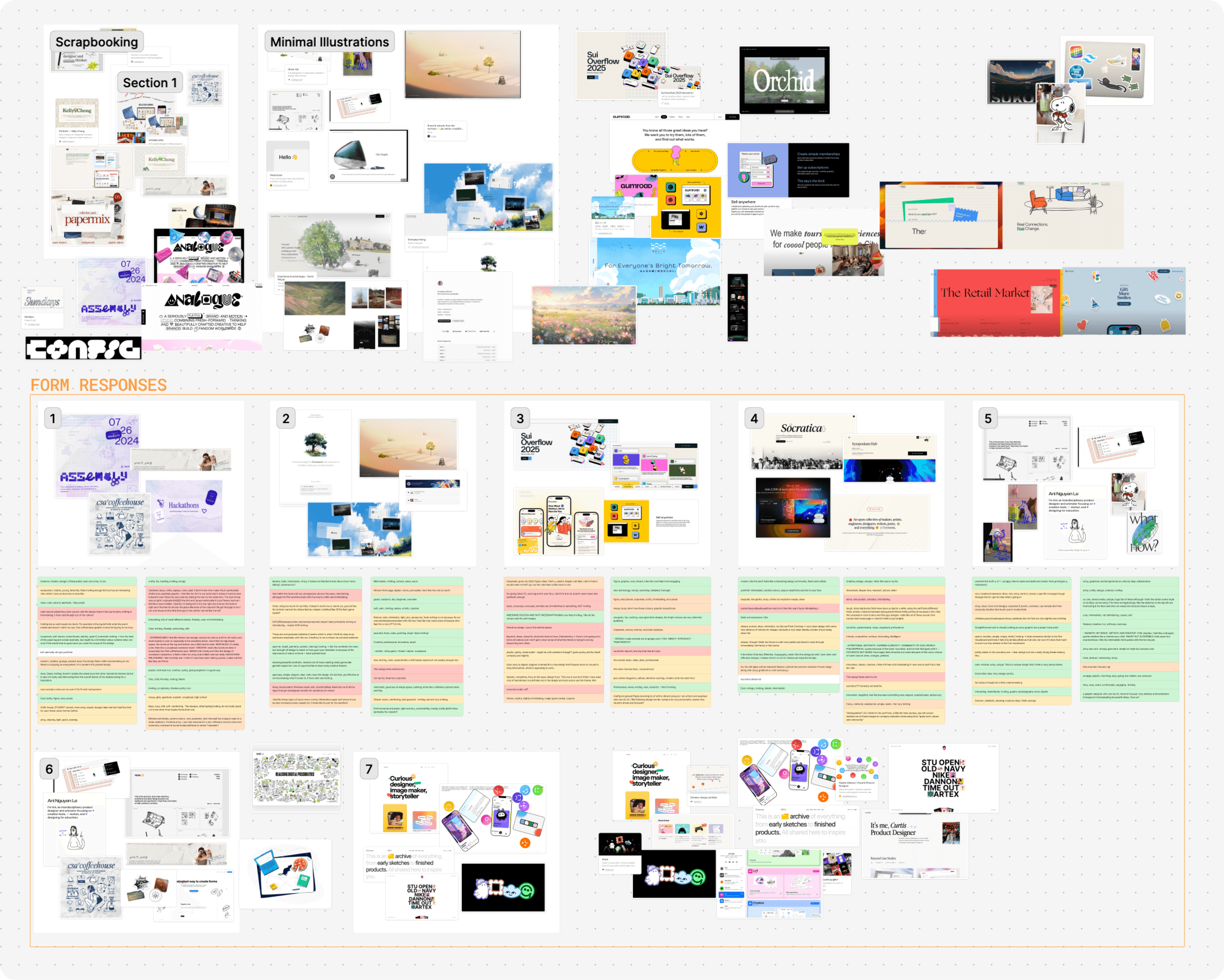
Final theme reveal
Hack Western XII: The world is your canvas.
Our theme celebrates creativity, collaboration, and the idea that anyone can build something meaningful from their imagination. Visually, we brought this to life through a warm, pastel, scrapbook-inspired style filled with stickers, doodles, and an infinite canvas user interface.
Application portal ideation
After defining the theme, I began brainstorming features that would make the application experience feel fun and unique.
Ideas ranged from personalized, customizable visuals to interactive, collaborative boards. In the end, we focused on three key features: personalized stickers that changed based on responses, customizable avatars, and a “draw something” question. These features struck a balance between technical feasibility and playful expression.
Delight-Driven Feature Exploration

Revamping the user flow
I simplified the application flow from past years and mapped out where to add each of the new delight features.
In previous years, technical constraints required an extra “application dashboard” page between logging in and filling out the form. With those limitations removed, users could now go straight from signing in to their application, returning directly where they left off.
Initial Application User Flow

Revamped User Flow with New Features

Key Decision
I chose to let users view and edit their collected stickers after submitting their application, rather than before. This kept the application flow simple and reduced stress for last-minute applicants.
Wireframing
To kick off the user interface design, I explored a few options for navigation and how to display personalized stickers.
I wanted the interface to reflect the infinite canvas theme, while staying intuitive to use. Thus, I focused on keeping the core interactions familiar.
Wireframe Explorations
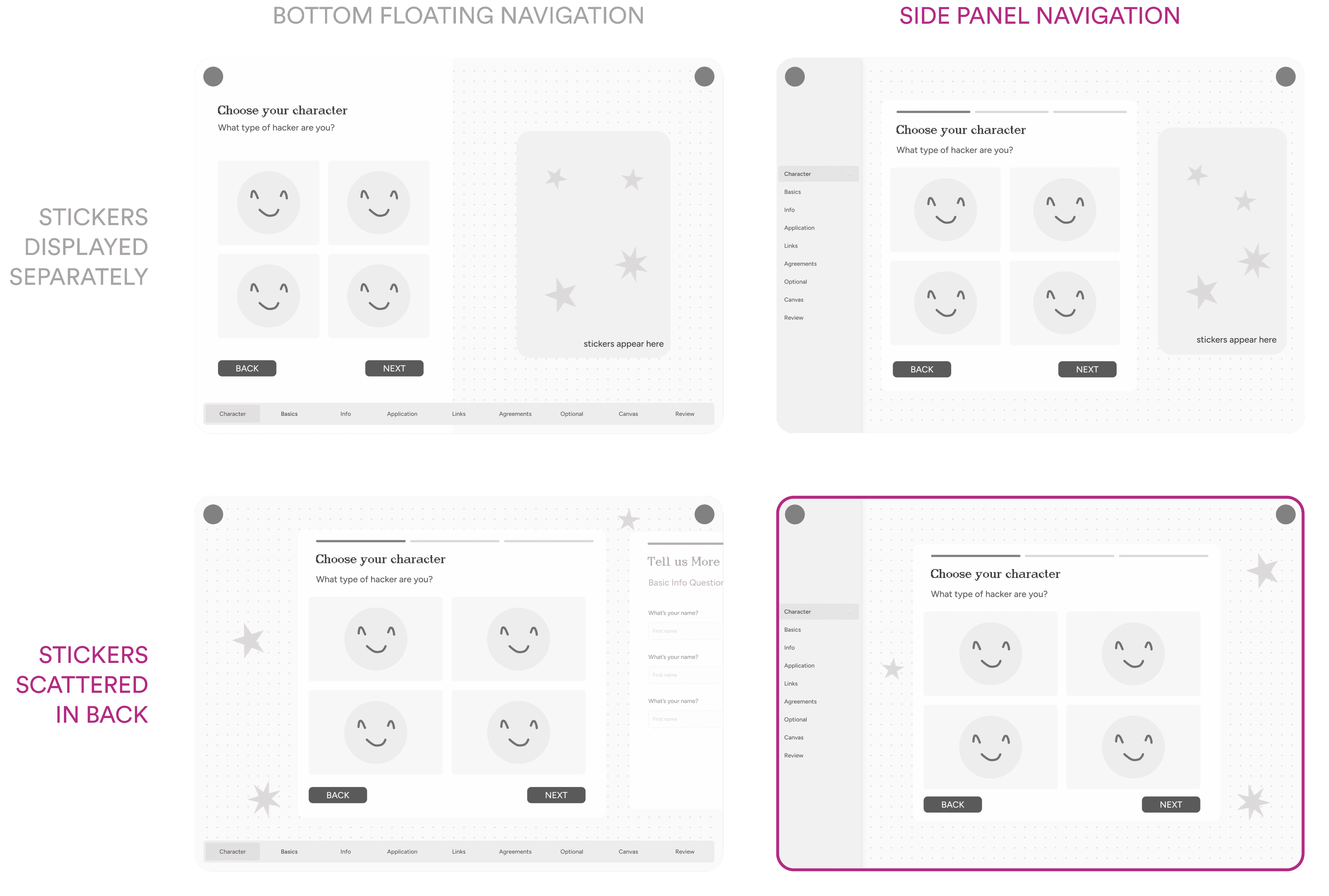
I decided on a side panel, with the stickers stacked at the back for a few key reasons:
1
Reflecting Figma's interface
The side panel navigation mirrors Figma’s user interface, aligning with our infinite canvas theme and keeping navigation familiar.
2
Reducing visual clutter
With side panel navigation, a fixed sticker book made the layout feel cramped, while scattered stickers better reinforced the sense of openness and creativity.
Designing for Mobile
With the web designs established, I needed a creative way to include personalized stickers on mobile, where there wasn’t enough space to display them in the background.

On the desktop version, stickers appear based on a user's answers. For example, selecting Mathematics/Statistics as my major would surface a "Math/Stats" sticker in the background.
Our solution was a sticker drawer: a hidden panel that opened when users tapped a floating sticker icon in the navigation. This allowed users to view their collected stickers without cluttering the smaller mobile layout.
Mobile Sticker Drawer
Key Discovery
During prototype testing, users often missed the sticker drawer since the generic button gave little reason to click it. To make it more discoverable and fun, we set the drawer icon to display the last sticker a user earned.
Creating the stickerbook
To create a personalized token for applicants to save, share, and bring into the event, I created a "sticker book" feature that held all the stickers applicants collected based on their responses.
Accessible from their dashboard, the sticker book carried forward into the actual event, where participants could unlock new stickers by completing tasks. It also included an option to share their collections on social media, helping spread the word and inviting more first-time hackers to join the community.
Applicant Stickerbook Overview
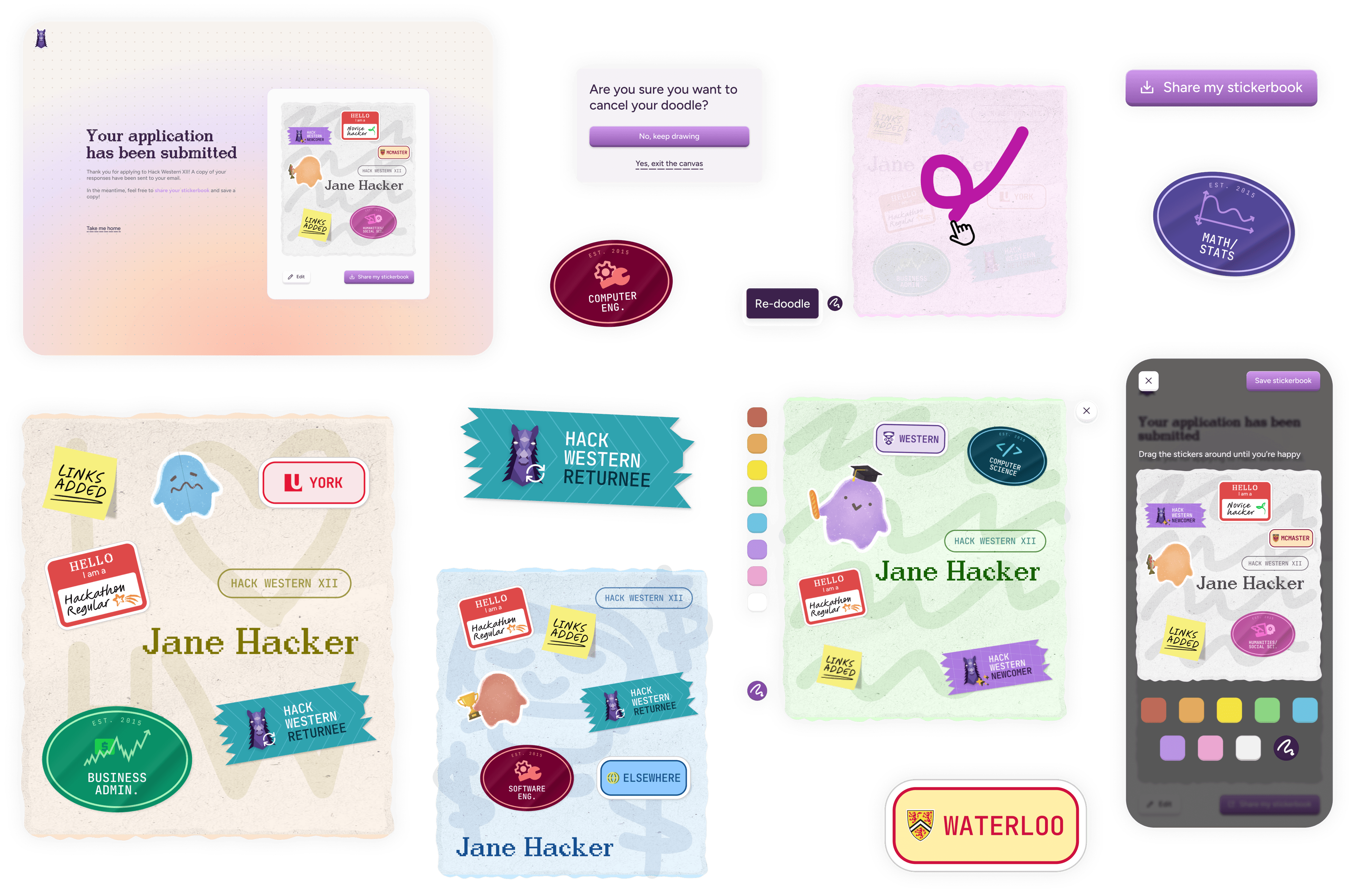
Final Product
Apply for Hack Western XII: The world is your canvas!
It's done! What did I learn?
A good design system leaves nothing unsaid
I realized how many small details need to be explicitly communicated for a design to work in practice. Every edge case or error state, like invalid phone numbers, character limits, and unmet age requirements, had to be documented for developers. Even things as granular as hex codes for avatar colours needed clear definition. This experience taught me that good documentation and communication is as much a design skill as visual craft.